How to create a Virtual Private Network
Step-by-step guide to creating and configuring isolated private networks for your cloud resources on Neviri Cloud.
Login to the Neviri Dashboard and go to Network Manager
Log in using your credentials. From the main dashboard, locate and click on the "Network Manager" section to access the networking interface where you can create and manage all your private networks.
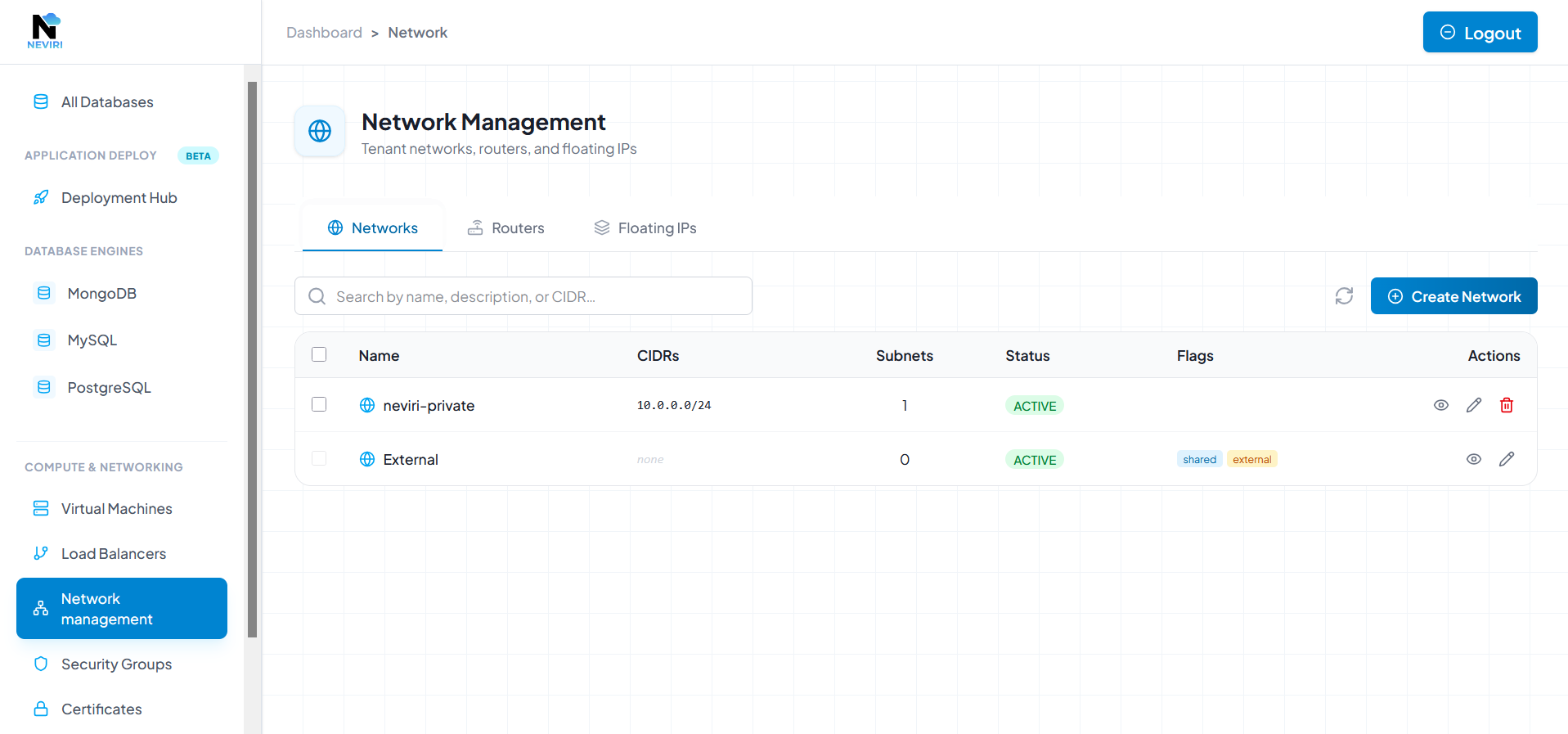
Network Manager interface - where all your private networks are managed
Click 'Create Network'
In the Network Manager interface, click the "Create Network" button to begin the private network creation process. You'll be presented with a form where you can configure your network settings.
Click the "Create Network" button to start configuring your private network
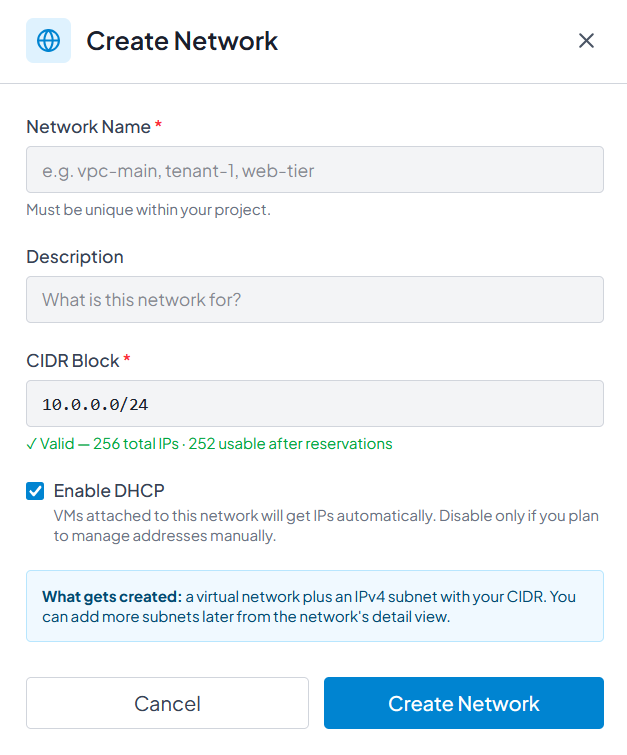
Configure Network Details
Fill in the network configuration form with the following details:
- Network Name – Give your private network a descriptive name that helps you identify it later (e.g., "Production-VPC", "Development-Network").
- Description (Optional) – Add a meaningful description to provide context about the network's purpose or environment.
- CIDR Block – Define the IP address range for your private network. This must be a unique CIDR block not used by any other private network in your account.
Example: 10.0.0.0/16, 172.16.0.0/12, or 192.168.0.0/16
Configure name, description, and unique CIDR block for your private network
Review and Create Your Private Network
Before finalizing, review all the configuration details:
- Ensure the network name is clear and descriptive
- Verify that the CIDR block doesn't overlap with any existing networks
- Confirm the description accurately reflects the network's purpose
Once you're satisfied with the configuration, click the "Create Network" button to provision your private network. The network will be ready for use within seconds. You can now launch virtual machines and other resources into this isolated network environment.