How to Migrate Your Application from a VPS to Neviri
Nov 13, 2026 • 6 min read
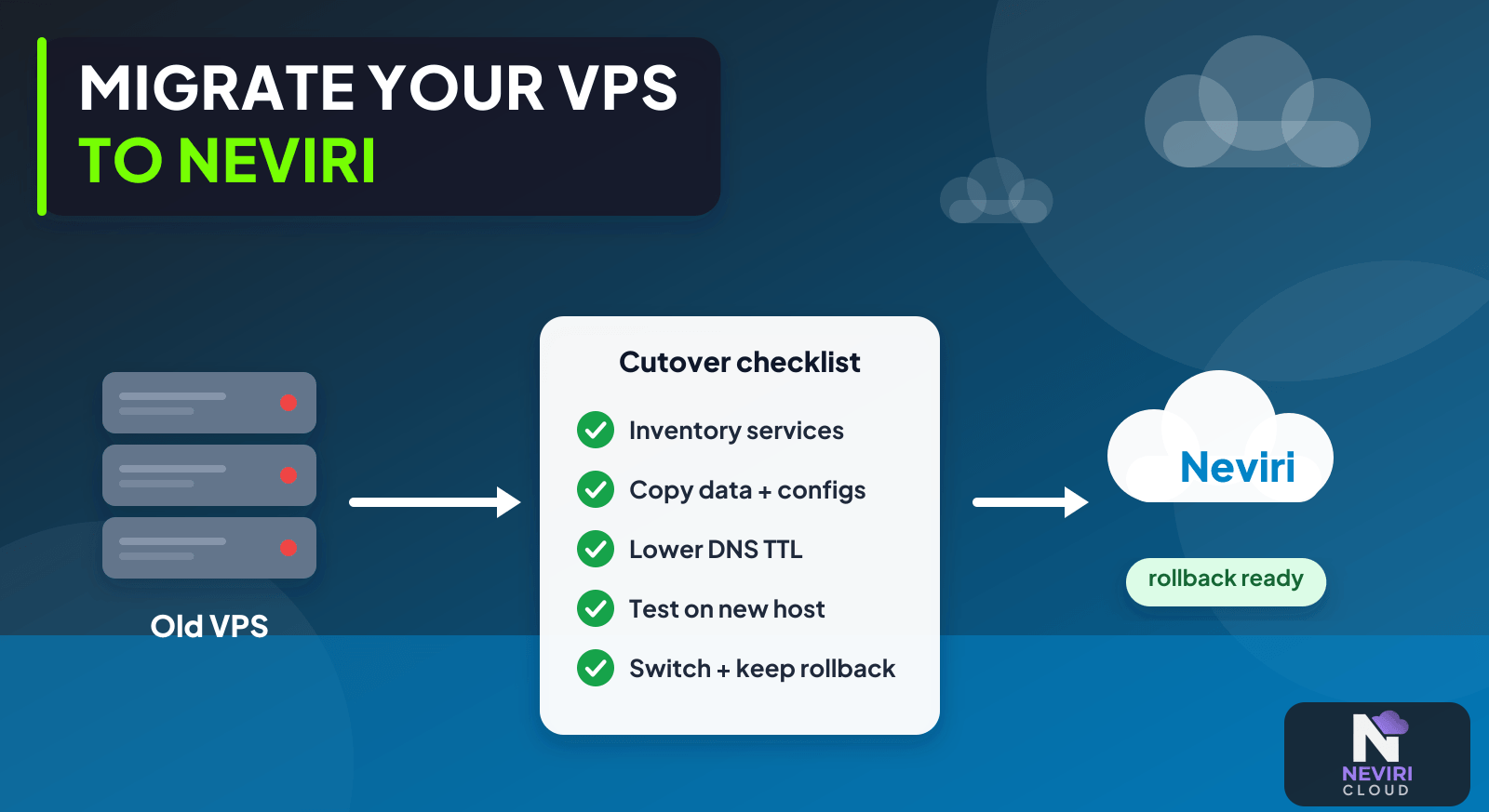
Moving a VPS sounds straightforward when you think of it as copying an application folder. The surprises tend to live elsewhere: a cron job, an uploaded file, a service that starts at boot, or a DNS setting nobody has touched in months. Build the inventory before you move so those details don’t introduce themselves after cutover.
List the processes, retained files, scheduled jobs, network settings, and credentials before building the destination. Rehearse the move on Neviri without sending production traffic there, then agree on cutover and recovery. Keep the old resources until your checks and retention plan say you can safely retire them.
Make an inventory before moving
- Inventory services, runtime versions, databases, files, cron tasks, credentials, DNS records, and external integrations.
- Create an isolated destination and test your app with its intended persistent storage and network access.
- Rehearse the final data synchronization and record validation results and the planned write boundary.
- Switch traffic deliberately, confirm background work, and retire retained resources only after the recovery window closes.
Choose how much of the old VPS to move
| Approach | Choose it when | Verification or tradeoff |
|---|---|---|
| Rebuild from configuration | The environment can be recreated reproducibly | Validate permissions and persistent data. |
| Application-level migration | Only selected services are moving | Map cross-provider dependencies and latency. |
| Image-based migration | A supported image path preserves necessary state | Verify boot, drivers, network, and licensing. |
How do you discover what the old VPS is actually doing?
Follow a real request through the old environment. Identify the process receiving it, the database it uses, the location of uploaded files, and any job created afterward. Then look for work that happens without a request: scheduled reports, certificate renewal, queue consumers, and integrations triggered by external systems.
Keep a note of configuration names and destinations without copying secret values into the inventory. Establish which settings describe your app and which exist only because of the current host. A local file path or a loopback database address may need an explicit replacement on the destination.
| Inventory finding | Migration action | Verification before cutover |
|---|---|---|
| Uploads on the web server | Copy or migrate the retained file store deliberately | A previously uploaded file is retrievable from the new runtime |
| A database on the same VPS | Use a database-aware consistency method | Representative records and the final write marker are present |
| A scheduled export | Recreate its intended schedule with one active owner | A controlled test runs without duplicating the production export |
| External webhook destination | Plan the endpoint transition and authentication | The integration reaches the intended environment |
| A background consumer | Move its configuration and recovery contract | Pending jobs remain accounted for through the transition |
How do you prevent two environments from performing the same work?
Decide when the old environment stops acting as the production writer or job owner. A DNS update does not disable a cron task, close an existing database session, or tell an independent worker to stop. List those transitions as cutover steps with named owners.
For a scheduled business operation, verify that only the intended environment runs it after the move. If duplicate execution is possible, your app needs its own duplicate protection; a migration checklist cannot supply it retroactively. Use a safe test operation rather than discovering duplicate processing through customer notifications or billing.
Keep the old environment available only in the state justified by the recovery plan. Read-only retention, an isolated backup, and a live writable source have different risks and costs. Document which one is required instead of retaining an unrestricted second production environment by default.
What evidence lets you retire the source?
Collect the destination's application checks, data validation, monitoring result, and recovery evidence. Confirm that the new backup process produces usable recovery material, rather than assuming the old VPS backup job moved with your app files.
Inspect the old provider's remaining resources after cleanup. Retained disks, addresses, snapshots, or independent services can have their own lifecycle. Compare subsequent usage with the expected reduction and preserve the record of deliberately retained resources. Completion means the service moved correctly and the source reached its intended final state, not merely that one website URL loaded once.
Give the migration inventory a revision date and owner so it remains usable when the cutover is rescheduled.
The homepage can work while a scheduled job is broken
Copying a website directory rarely captures the whole service. Processes outside the web application, uploaded files, certificates, queue consumers, local permissions, and DNS records can all be migration dependencies. Discover them before the maintenance window instead of treating each missing component as an emergency after cutover.
Questions you might have
What should I inventory first?
Inventory everything that must exist for a real user operation to succeed. Include the web process, workers, database, uploads, schedules, credentials, DNS, and external services. Confirm the inventory by following a realistic request and background task, rather than assuming the visible website directory represents the whole environment.
When should DNS change?
Change traffic routing after destination behaviour and the final data boundary have been validated. DNS updates are one part of cutover, not a replacement for synchronizing writes or moving persistent connections. Account for cached records and existing clients, and monitor both environments during the deliberately chosen transition window.
How long should I retain the old VPS?
Retain it according to a defined recovery and data-retention decision, not an arbitrary universal number. Consider new destination writes, rollback feasibility, source costs, and access restrictions. Record the removal conditions, then verify that storage, snapshots, addresses, and independent services are also cleaned up as intended.
Keep reading
Deploy a Next.js Application on Neviri; Separate Background Workers from Your Web Application; Database Cutover Rollback After New Writes: Preserve Accepted Changes; Database Backups Are Only Useful If You Can Restore Them.
Know when you can retire the old VPS
Leave yourself time to watch the new environment do ordinary work before retiring the old one. Check scheduled jobs and retained files as well as the homepage. When you can explain how the whole application moved, the cleanup decision becomes much easier than guessing from a single successful request.
Consult the Neviri knowledge base for the destination setup, then map its current networking and resource settings to the inventory prepared for this VPS move.
Sources and further reading
PostgreSQL documents that a logical dump represents a database export; copying application files does not replace the database migration and validation procedure. PostgreSQL documentation.
Looking for a VPS for migration describes a related situation: A VPS migration discussion warns against switching DNS before configuring and validating the destination and synchronizing data.