AWS EC2 vs. DigitalOcean vs. Alternative Cloud Providers: Which Cloud Is Best in 2026?
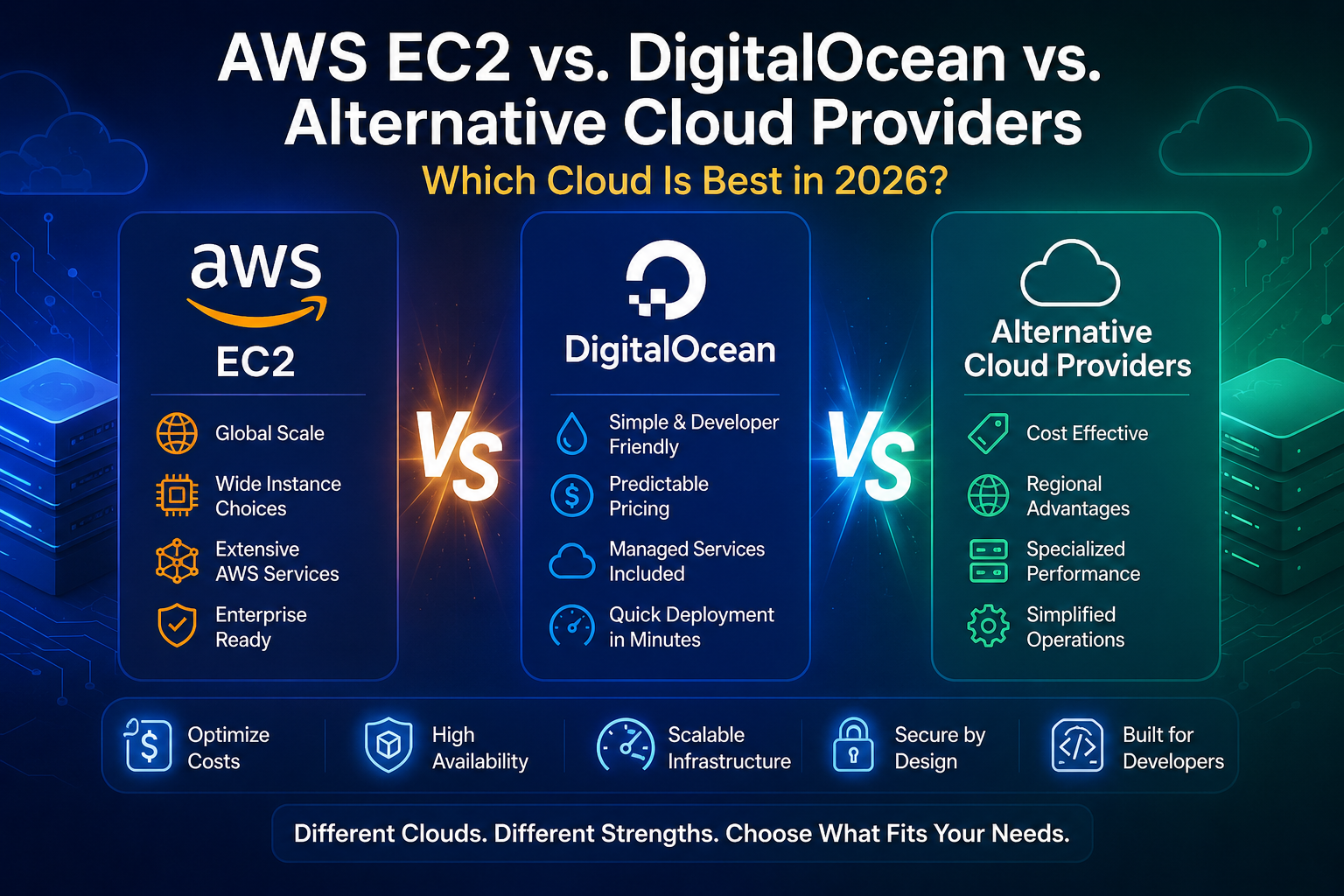
Choosing a cloud provider in 2026 is no longer simply a question of AWS vs. DigitalOcean.
AWS EC2 remains one of the most capable infrastructure platforms available, but its breadth also introduces complexity. DigitalOcean takes a simpler approach with predictable VM pricing and a developer-friendly experience. Meanwhile, alternative providers such as Neviri, Hetzner, Vultr, Akamai Cloud, and modern application platforms can be better fits depending on workload, budget, geography, and operational requirements.
The right choice depends less on which provider is "best" and more on what you are actually trying to optimize: flexibility, simplicity, cost, performance, managed services, developer experience, or operational control.
Quick Answer
AWS EC2 is generally the strongest choice for organizations that need maximum cloud breadth, advanced infrastructure services, global scale, or deep integration with the AWS ecosystem.
DigitalOcean is usually better suited to developers, startups, small businesses, and teams that prioritize simpler infrastructure and predictable VM pricing.
Alternative cloud providers can make more sense when you want lower infrastructure costs, simpler operations, specialized performance, regional advantages, or a more focused developer experience.
For startups running conventional web applications, APIs, SaaS products, databases, and development environments, you should not automatically choose AWS simply because it is the largest cloud provider.
Key Takeaways
- AWS EC2 offers the broadest infrastructure ecosystem and extensive configuration options.
- DigitalOcean Droplets emphasize simplicity, predictable pricing, and straightforward VM deployment.
- AWS supports multiple purchasing models, including On-Demand, Savings Plans, and Spot Instances.
- DigitalOcean introduced per-second Droplet billing in 2026, with a 60-second or $0.01 minimum.
- DigitalOcean currently lists Basic Droplets starting at $4/month.
- Neviri currently advertises VMs from $4.26/month, managed databases from $15/month, $0.08/GB/month block storage, and 100 GB of free outbound bandwidth per month.
- AWS can become substantially more complicated when compute is combined with storage, networking, databases, monitoring, and other services.
- DigitalOcean is not simply "cheap AWS"; its value proposition is largely built around reducing infrastructure complexity.
- Alternative providers should be evaluated according to the workload rather than assumed to be universally cheaper or better.
- The best cloud provider is the one that minimizes your total cost of ownership, not merely the advertised VM price.
AWS EC2 vs. DigitalOcean vs. Alternative Cloud Providers
| Factor | AWS EC2 | DigitalOcean | Alternative Providers |
|---|---|---|---|
| Infrastructure breadth | Excellent | Good | Varies |
| Ease of use | Moderate | Excellent | Usually good |
| Pricing simplicity | Moderate | Excellent | Often excellent |
| Enterprise ecosystem | Excellent | Moderate | Varies |
| Managed services | Excellent | Good | Varies |
| Global infrastructure | Excellent | Good | Varies |
| Developer friendliness | Good | Excellent | Often good |
| Fine-grained control | Excellent | Good | Varies |
| Startup simplicity | Moderate | Excellent | Often excellent |
| Specialized workloads | Excellent | Good | Can be excellent |
| Cost optimization options | Excellent | Good | Often strong |
| Operational complexity | High potential | Lower | Usually lower |
This table is intentionally not a universal ranking. "Alternative cloud provider" covers very different businesses and infrastructure models.
1. What Is Amazon EC2?
Amazon Elastic Compute Cloud, commonly known as Amazon EC2, provides resizable computing capacity inside Amazon Web Services.
EC2 allows organizations to select instance families based on CPU, memory, storage, networking, architecture, and workload characteristics.
AWS offers many purchasing options. On-Demand EC2 instances are billed by the second with a 60-second minimum, while Savings Plans can reduce costs in exchange for usage commitments and Spot Instances can provide discounts of up to 90% compared with On-Demand pricing.
EC2 also integrates directly with the broader AWS ecosystem.
That is its biggest strategic advantage.
A company can combine EC2 with services such as:
- Amazon S3
- Amazon RDS
- Amazon EBS
- Amazon VPC
- Elastic Load Balancing
- CloudWatch
- IAM
- Route 53
- CloudFront
- Lambda
- ECS
- EKS
- DynamoDB
- SQS
- SNS
- and many other AWS services
This makes EC2 extremely flexible.
It also means AWS can become considerably more complicated than a simple virtual-machine provider.
2. What Is DigitalOcean?
DigitalOcean is a cloud platform designed around a simpler developer experience.
Its virtual machines are called Droplets.
DigitalOcean currently offers multiple Droplet categories, including:
- Basic
- CPU-Optimized
- General Purpose
- Memory-Optimized
- Storage-Optimized
Its current pricing page lists Basic Droplets starting at $4/month.
DigitalOcean also provides managed products around compute, including databases, Kubernetes, object storage, networking, application deployment, and other developer services.
The company's positioning is fundamentally different from AWS.
AWS says, in effect:
Here is an enormous infrastructure ecosystem. Build almost anything.
DigitalOcean is closer to:
Here are the infrastructure building blocks developers commonly need. Deploy them without unnecessary complexity.
That distinction matters.
3. AWS EC2 vs. DigitalOcean: The Core Difference
The simplest way to understand the difference is:
AWS optimizes for breadth and control.
DigitalOcean optimizes for simplicity and developer experience.
This is not an absolute rule, but it is a useful decision framework.
If your team needs:
- dozens of AWS services
- complex networking
- sophisticated identity controls
- multiple compute architectures
- enterprise integrations
- advanced compliance requirements
- large-scale distributed infrastructure
AWS becomes increasingly attractive.
If you primarily need:
- a VPS
- a web server
- an API
- a database
- a Docker application
- a SaaS backend
- staging environments
- development environments
DigitalOcean may provide a simpler path.
4. AWS EC2 Pricing vs. DigitalOcean Pricing
Cloud pricing comparisons are frequently misleading because comparing only the VM price ignores the rest of the infrastructure bill.
AWS EC2 pricing depends on:
- instance family
- region
- operating system
- storage
- data transfer
- purchase model
- additional AWS services
AWS's own pricing documentation emphasizes that EC2 pricing varies by instance and purchasing model, while additional services such as EBS, Elastic Load Balancing, and CloudWatch have their own pricing.
AWS also provides cost-saving mechanisms such as Savings Plans and Spot Instances.
DigitalOcean uses a more straightforward model for Droplets. Its current Basic plans include compute, SSD storage, and a defined transfer allowance in the displayed monthly price.
DigitalOcean also changed CPU Droplet billing to per-second billing in January 2026, with a 60-second or $0.01 minimum.
Example: Small application
Suppose you operate:
- one application server
- one small database
- moderate traffic
- a few development environments
The cheapest EC2 instance is not automatically the cheapest architecture.
You need to calculate:
That is your real cloud cost.
5. Why AWS EC2 Can Become Expensive
AWS is not necessarily expensive because its compute is always more expensive.
The bigger issue is infrastructure complexity.
You may start with:
Then your architecture becomes:
Each component can have its own pricing model, configuration, monitoring requirements, and operational implications.
This isn't inherently bad.
For a sophisticated organization, this flexibility is valuable.
For a five-person startup, it can become unnecessary operational overhead.
6. Why DigitalOcean Can Be More Predictable
DigitalOcean deliberately emphasizes predictable pricing.
Its Droplet pricing page currently presents monthly caps and flat pricing, while each Droplet includes a defined outbound transfer allowance.
For example, its current Basic Droplet lineup includes:
- 1 vCPU / 512 MiB — $4/month
- 1 vCPU / 1 GiB — $6/month
- 2 vCPUs / 2 GiB — $18/month
- 2 vCPUs / 4 GiB — $24/month
- 4 vCPUs / 8 GiB — $48/month
These prices are from DigitalOcean's current published pricing and can change.
That makes initial capacity planning easier.
7. What Are Alternative Cloud Providers?
"Alternative cloud provider" is not one category.
It can include:
Infrastructure-focused providers
- Neviri
- Hetzner
- Vultr
- Akamai Cloud
- OVHcloud
Developer-focused platforms
- Render
- Railway
- Fly.io
Specialized providers
- GPU infrastructure providers
- managed database platforms
- AI infrastructure providers
- regional cloud providers
Emerging cloud platforms
Providers such as Neviri are attempting to combine infrastructure, managed services, deployment automation, and simplified cloud operations into a single platform.
Neviri currently advertises VMs, managed databases, block storage, load balancers, networking, SSL, and other infrastructure products.
Therefore, the question should not be:
"Which cloud provider is cheapest?"
It should be:
"Which infrastructure model fits my workload with the least total operational cost?"
8. Neviri as an Alternative to AWS EC2 and DigitalOcean
Neviri takes a more focused approach to cloud infrastructure.
Its current product positioning includes:
- VMs from $4.26/month
- managed databases from $15/month
- block storage from $0.08/GB/month
- load balancers and SSL included
- 100 GB free outbound bandwidth per month
- automated backups
- DDoS protection
- encryption
- a stated 99.9% uptime SLA
That makes Neviri particularly relevant to the segment between:
traditional VPS hosting
and
large hyperscale cloud platforms.
The opportunity is not necessarily to replace AWS for every workload.
The more realistic use case is:
A startup or development team wants production infrastructure without adopting the full operational complexity of a hyperscale cloud.
9. AWS vs. DigitalOcean vs. Neviri
A useful high-level comparison is:
| Requirement | AWS EC2 | DigitalOcean | Neviri |
|---|---|---|---|
| Maximum infrastructure breadth | Excellent | Good | Developing |
| Simple VM deployment | Good | Excellent | Excellent |
| Predictable pricing | Moderate | Excellent | Strong |
| Managed databases | Excellent | Good | Strong |
| Enterprise ecosystem | Excellent | Moderate | Developing |
| Developer simplicity | Good | Excellent | Strong |
| Startup infrastructure | Excellent but potentially complex | Excellent | Strong potential |
| AI-powered deployment | Strong broader ecosystem | Increasingly strong | Core differentiation opportunity |
| Infrastructure control | Excellent | Good | Good |
| Best fit | Complex infrastructure | Developers/startups | Simplified production infrastructure |
The important caveat is that Neviri is a much smaller platform than AWS and DigitalOcean.
It would be misleading to imply that the platforms have equivalent ecosystem maturity.
The opportunity is focused simplicity, not feature-count parity.
10. Which Is Better for Startups?
There is no universal answer.
But for many early-stage startups, the decision should be based on engineering capacity.
Choose AWS EC2 when:
- you expect significant AWS ecosystem usage
- you need advanced infrastructure services
- you have experienced cloud engineers
- you require complex networking
- you need broad enterprise integrations
- you expect architecture complexity to grow substantially
Choose DigitalOcean when:
- you want straightforward cloud VMs
- your team values simplicity
- you want predictable infrastructure pricing
- you are deploying conventional web applications
- you want a developer-friendly cloud
Consider alternative providers when:
- infrastructure cost is a major concern
- you don't need the entire hyperscaler ecosystem
- you want simpler infrastructure
- you need a specific geographic region
- you want specialized compute
- you need managed infrastructure without building a large DevOps operation
11. Which Is Better for SaaS Applications?
For a conventional SaaS product, the architecture might look like:
All three provider categories can support this architecture.
The decision becomes:
AWS
Best when you anticipate a complex architecture involving multiple AWS-native services.
DigitalOcean
Strong choice when you want the architecture without the complexity of a hyperscaler.
Neviri
Potentially attractive when you want compute, managed databases, networking, storage, and deployment infrastructure from a focused platform.
The key question is not:
"Can the provider run my SaaS?"
Almost all serious providers can.
The real question is:
"How much engineering effort will it take to operate my SaaS on this provider?"
12. Which Is Better for Developers?
DigitalOcean has a strong advantage here.
The platform emphasizes simple deployment and management through its UI, CLI, API, and Terraform provider.
AWS also provides powerful developer tooling, but the breadth of the platform means there is more to learn.
For a developer who needs:
a simpler platform can reduce cognitive overhead.
For an infrastructure engineer managing:
AWS's complexity becomes an advantage rather than a disadvantage.
13. Which Is Better for Databases?
This depends heavily on the database.
AWS has a huge managed-data ecosystem.
DigitalOcean provides managed database products alongside its compute infrastructure.
Neviri currently advertises managed database offerings alongside its VM, networking, storage, and deployment infrastructure.
For a startup running:
- PostgreSQL
- MySQL
- MongoDB
- Redis
- MariaDB
- RabbitMQ
the most important evaluation criteria should be:
- backups
- replication
- failover
- recovery time
- recovery point
- scaling
- monitoring
- network isolation
- maintenance
- support
A low monthly price means very little if recovering from a production database failure takes hours.
14. Which Is Better for Global Applications?
AWS generally wins when global infrastructure breadth is the dominant requirement.
AWS has a massive global infrastructure ecosystem and extensive regional and availability-zone architecture.
DigitalOcean can still be an excellent choice for applications where a smaller set of regions is sufficient.
Alternative providers can be compelling when a specific location offers:
- better latency
- better pricing
- regulatory advantages
- local support
- regional data residency
The correct test is:
Where are your users?
Not:
Which provider has the most regions?
A company whose customers are concentrated in one market may gain more from a strategically located provider than from access to dozens of regions it never uses.
15. AWS EC2 vs. DigitalOcean vs. Alternatives for AI
AI changes the comparison.
Traditional web applications often require:
- CPU
- RAM
- storage
- database
AI workloads may additionally require:
- GPUs
- high memory bandwidth
- high-speed networking
- specialized accelerators
- model-serving infrastructure
- inference APIs
- vector databases
- data pipelines
DigitalOcean has expanded its AI infrastructure, including GPU Droplets and inference products. Its current GPU pricing page lists multiple NVIDIA and AMD GPU options, with pricing updated effective August 1, 2026.
AWS has a much broader AI infrastructure ecosystem.
Specialized GPU providers can sometimes be more compelling when GPU economics are the primary concern.
So for AI:
- AWS: best ecosystem breadth.
- DigitalOcean: simpler AI/cloud experience.
- Specialized providers: potentially stronger GPU economics.
- Neviri: potentially differentiated around AI-assisted application deployment and infrastructure optimization rather than trying to win solely through GPU scale.
16. The Most Important Cloud Cost Mistake
Do not compare:
and declare a winner.
Compare:
That is your Total Cost of Ownership (TCO).
A $20/month server that requires five hours of manual maintenance can be more expensive than a $40/month managed solution.
Engineering time is infrastructure cost.
Most cloud comparisons ignore this.
17. When AWS EC2 Is the Better Choice
AWS is the obvious choice when you need the ecosystem.
Consider AWS when you require:
- complex architectures
- enterprise integrations
- sophisticated networking
- large-scale automation
- extensive managed services
- multiple compute models
- serverless services
- deep IAM capabilities
- global infrastructure
- mature enterprise tooling
The strongest argument for AWS isn't:
"AWS is cheaper."
It usually isn't the simplest way to make that argument.
The strongest argument is:
AWS gives you an enormous set of infrastructure primitives and services under one ecosystem.
18. When DigitalOcean Is the Better Choice
DigitalOcean is attractive when infrastructure simplicity matters more than maximum ecosystem breadth.
Consider it when you need:
- straightforward VMs
- predictable pricing
- simple networking
- managed databases
- object storage
- Kubernetes
- application deployment
- developer-friendly tooling
DigitalOcean's current Droplet offering combines simple monthly pricing with per-second billing and a monthly cap.
That is particularly useful for startups and developers who want cloud infrastructure without immediately adopting hyperscaler-level complexity.
19. When an Alternative Cloud Provider Is Better
An alternative provider can be the right choice when one of these factors dominates:
Cost
You are running large amounts of conventional compute and want to optimize infrastructure spend.
Simplicity
You don't need hundreds of cloud services.
Geography
Your customers are concentrated in a region where another provider has a better infrastructure footprint.
Specialized performance
You need a particular CPU, GPU, storage, or networking configuration.
Developer experience
You want a deployment workflow closer to:
rather than configuring dozens of infrastructure components.
Support
You value direct access to engineers and infrastructure specialists.
20. AWS EC2 vs. DigitalOcean vs. Alternatives: Decision Matrix
| If your priority is... | Consider |
|---|---|
| Maximum cloud capabilities | AWS |
| Enterprise ecosystem | AWS |
| Simple VPS hosting | DigitalOcean |
| Predictable VM pricing | DigitalOcean / alternatives |
| Startup simplicity | DigitalOcean / alternatives |
| Lowest possible infrastructure cost | Compare multiple alternatives |
| Specialized GPU workloads | GPU-focused providers / AWS / DigitalOcean |
| Managed infrastructure | DigitalOcean / specialized platforms |
| Maximum infrastructure control | AWS |
| Minimal DevOps overhead | Managed developer platforms |
| Integrated startup infrastructure | Neviri / DigitalOcean / alternatives |
| Complex multi-service architecture | AWS |
21. Frequently Asked Questions
1. Is AWS EC2 better than DigitalOcean?
Not universally. AWS EC2 is better for complex infrastructure, broad service integration, and enterprise-scale architectures. DigitalOcean is often better for developers and startups that prioritize simplicity and predictable pricing.
2. Is DigitalOcean cheaper than AWS?
It can be for straightforward workloads, but there is no universal answer. Total cost depends on compute, storage, bandwidth, databases, backups, networking, and other services.
3. Is DigitalOcean a good AWS alternative?
Yes, for many conventional workloads. It is particularly attractive for developers, startups, SaaS applications, websites, APIs, and smaller production environments.
4. What is the cheapest AWS alternative?
There is no single cheapest provider for every workload. Hetzner, Vultr, DigitalOcean, Neviri, OVHcloud, and other providers can be competitive depending on CPU, RAM, storage, bandwidth, and location.
5. Is Neviri an AWS alternative?
Neviri can be considered an alternative for organizations looking for simplified cloud infrastructure, including VMs, managed databases, storage, networking, and related infrastructure services. Its current published pricing starts at $4.26/month for VMs.
6. Is Neviri cheaper than AWS?
Price comparisons must be made using equivalent configurations and the complete infrastructure stack. Neviri currently publishes simpler starting prices for its VMs, but a meaningful comparison requires matching CPU, RAM, storage, bandwidth, region, backups, and services.
7. Which is easier to use, AWS or DigitalOcean?
DigitalOcean is generally easier for straightforward VM and application infrastructure. AWS provides substantially more infrastructure options, which also creates a steeper learning and management curve.
8. Which cloud is best for startups?
There is no universal winner. Startups should choose according to engineering expertise, architecture, budget, geographic requirements, expected scale, and need for managed services.
9. Is AWS overkill for a small website?
It can be. If the application only requires a simple server, database, and storage, a simpler cloud platform may reduce operational complexity.
10. Is DigitalOcean good for production?
Yes. DigitalOcean markets Droplets for production workloads and currently advertises a 99.99% SLA for its virtual machines.
11. What is better for SaaS, AWS or DigitalOcean?
AWS is stronger for highly complex SaaS architectures. DigitalOcean can be easier for conventional SaaS products where simplicity and predictable infrastructure are more important.
12. Which cloud provider has the best pricing?
There is no universal winner. The cheapest provider for a 2-vCPU VM may not be the cheapest provider once bandwidth, backups, databases, and storage are included.
13. What is the best DigitalOcean alternative?
The answer depends on your priority. AWS is stronger for ecosystem breadth, while providers such as Hetzner, Vultr, Neviri, OVHcloud, and others may be worth evaluating for cost, simplicity, geography, or specialized requirements.
14. Is AWS EC2 good for beginners?
EC2 is usable by beginners, but the broader AWS ecosystem has a significant learning curve. Beginners who only need a simple server may find a focused cloud platform easier.
15. Is DigitalOcean good for developers?
Yes. DigitalOcean is specifically designed around developer-oriented infrastructure, with UI, CLI, API, Terraform support, managed services, and straightforward compute products.
16. What should I choose for a Node.js application?
For a simple Node.js application, DigitalOcean or another developer-friendly provider may be easier. AWS becomes more compelling if the application requires extensive AWS-native services or complex scaling.
17. What should I choose for PostgreSQL?
Evaluate managed PostgreSQL offerings based on backups, failover, replication, scaling, performance, networking, support, and total cost-not just the monthly database price.
18. Which cloud provider is best for India?
There is no universal winner. Evaluate latency, available regions, data residency requirements, pricing, support, network performance, and compliance requirements for your specific application.
19. Can I migrate from AWS to DigitalOcean?
Yes. The process depends on your architecture. A simple EC2 workload can be relatively straightforward, while applications deeply integrated with AWS services may require architectural changes.
20. Can I migrate from DigitalOcean to another cloud?
Yes. VMs, databases, storage, DNS, and applications can generally be migrated, but the difficulty depends on how tightly the application is coupled to provider-specific services.
22. How to Choose the Right Cloud Provider
Use this five-step process.
Step 1: Define the workload
Write down:
- CPU requirement
- RAM requirement
- storage requirement
- bandwidth
- database
- expected traffic
- geographic users
- availability requirements
Step 2: Define your engineering constraints
Ask:
- How many engineers manage infrastructure?
- Do you have dedicated DevOps expertise?
- How much automation do you need?
- How much infrastructure complexity can your team tolerate?
Step 3: Calculate TCO
Do not compare VM prices alone.
Calculate:
Step 4: Evaluate migration risk
Ask:
- Is the application provider-dependent?
- Are databases portable?
- Are networking components portable?
- Are deployment pipelines portable?
- Are you using proprietary APIs?
Step 5: Run a production test
Before migrating everything:
- Deploy one workload.
- Measure latency.
- Measure CPU performance.
- Measure storage performance.
- Measure network throughput.
- Test backups.
- Test recovery.
- Calculate the actual monthly bill.
- Compare operational effort.
This produces a much more reliable decision than reading provider comparison articles.
23. Expert Insight
The cloud market is moving away from a simple "big cloud vs. cheap VPS" comparison.
The real competition is increasingly between different infrastructure experiences.
AWS gives customers enormous flexibility.
DigitalOcean reduces much of the complexity around common cloud workloads.
Modern alternatives are attempting to go even further by combining infrastructure with automation, managed services, and simplified deployment.
That creates an important strategic shift:
The winning cloud provider isn't necessarily the one with the most services. It may be the one that removes the most unnecessary infrastructure work from the customer.
For a startup with three engineers, spending engineering time configuring infrastructure that a managed platform could simplify is not necessarily "control."
It can simply be waste.
Conversely, for an enterprise with sophisticated infrastructure requirements, excessive abstraction can become a limitation.
So the correct question isn't:
AWS or DigitalOcean?
It is:
How much infrastructure complexity does my business actually need?
24. The Bottom Line
Choose AWS EC2 if:
You need maximum flexibility, extensive managed services, enterprise capabilities, complex networking, or deep AWS integration.
Choose DigitalOcean if:
You need simple cloud infrastructure, predictable pricing, developer-friendly tools, and straightforward production workloads.
Choose an alternative provider if:
You have a specific advantage to optimize cost, simplicity, geography, performance, specialized compute, managed infrastructure, or developer experience.
Consider Neviri if:
You want to evaluate a focused cloud infrastructure platform combining VMs, managed databases, storage, networking, and simplified production infrastructure, with current published VM pricing starting at $4.26/month.
The smartest cloud decision is not choosing the provider with the longest feature list.
It is choosing the provider that gives your team the best combination of capability, cost, reliability, and operational simplicity for the workload you actually run.