MongoDB Atlas alternatives for teams that outgrew the free tier
Same replica set, same recovery story. The invoice is where you feel the difference.
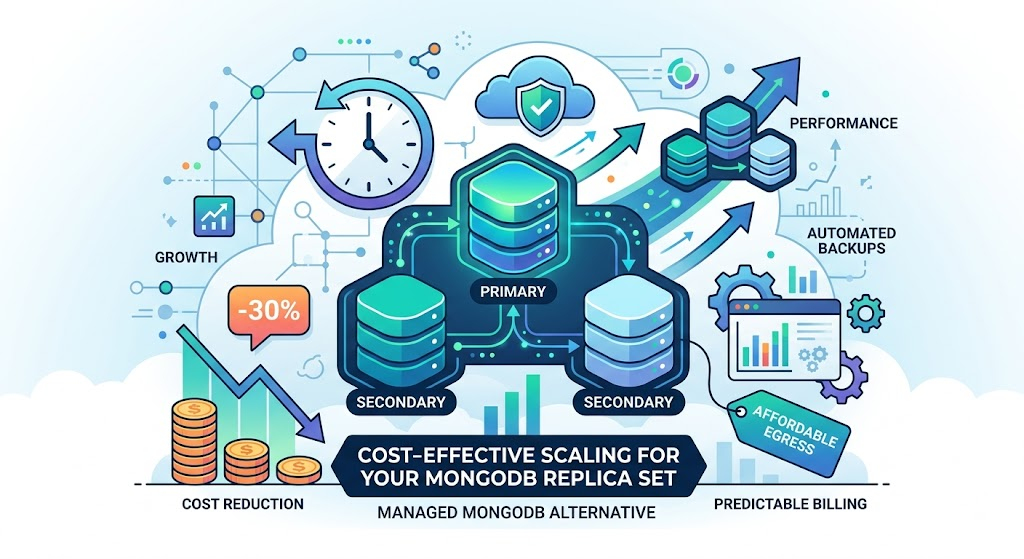
The free tier carried you further than you expected. Then your app got users, the M0 sandbox ran out of room, and you moved to M10. A few months later you are on M30 with backups turned on, and the Atlas bill reads like a second payroll line.
Growing teams keep hitting the same wall, and it isn't the database. Mongo runs fine. What stops making sense is the invoice. Each tier jump raises the base rate, cloud backup is billed on top, and data transfer out of Atlas gets its own meter.
There are alternatives that speak the same wire protocol and run the same replica set, and they can come out cheaper once you add up compute, backups, and transfer.
The comparison writes itself
Neviri sizes managed MongoDB the way Atlas does: M10, M20, M30, and up through M300. Same names, same shape. An M10 gives you 2 vCPU, 2 GB RAM, and 10 GB of storage. When you compare, you line up M30 against M30 and read two prices for the same size.
That matters because it removes the guesswork. You are not translating "large" into vCPUs and hoping. You pick the tier you already run and see what it costs here.
What you keep
Moving managed databases scares people who remember running Mongo themselves at 2 a.m. The parts that made Atlas feel safe come standard:
Three-node replica set. Production MongoDB on Neviri deploys as a three-node replica set by default. One primary, two secondaries. If a node fails, the set elects a new primary within seconds and writes resume; drivers with retryable writes ride through the brief election. You do not configure this. It ships that way.
Automated backups. They run on a schedule and live off the cluster, so you can restore from them.
Point-in-time recovery. Roll the database back to a moment before someone ran the wrong deleteMany. It turns a bad afternoon into a recovery you run yourself instead of a rebuild.
A standard connection string. Your driver still speaks standard MongoDB, though the connection string changes shape. Atlas hands you an mongodb+srv:// seedlist that finds the replica set over DNS; a plain mongodb:// string does not, so you list the hosts and set replicaSet and authSource=admin yourself. Above the connection string, your ORM, migrations, and dashboards keep working.
How the pricing works
Neviri bills managed databases per replica. A three-node cluster costs three times a single node, because you run three pods, each with its own CPU, memory, and disk. The tier price you see is the rate for one node. Multiply by your replica count for the cluster total.
This is straightforward pricing: you pay for the machines you run. The tier price covers the machine, with no serverless-style per-operation metering and no extra line for turning on backups.
Compare that to an Atlas bill, where the base tier is one price, snapshot backups are billed by storage, and data transfer adds more. Normalize both to the same all-in, per-cluster figure before you line them up, since a quoted tier price and a per-node rate may not cover the same node count.
Moving your data
You use the standard MongoDB tools, not anything Neviri-specific. Two caveats, though: mongodump won't bring across your database users and roles (they live in the admin database, which Atlas restricts) or any Atlas Search indexes, so recreate both on the target. And pin your tool version, since mongodump ships in its own package now, mongodb-database-tools.
Dump from Atlas:
mongodump --uri="mongodb+srv://user:pass@cluster.mongodb.net/mydb" --out=./dumpRestore to Neviri:
mongorestore --uri="mongodb://user:pass@your-cluster.neviri.com/mydb" ./dumpFor a low-downtime cutover you have to decide how you close the write gap, and that's the hard part: either take a short write freeze, or dump with --oplog and replay with mongorestore --oplogReplay, or dual-write from the app during the window. Atlas restricts oplog access on its shared tiers, so test the oplog path on a throwaway restore before you promise anyone little downtime. Test the restore on a staging cluster first and confirm your indexes came across. mongorestore rebuilds them, and on a large collection that takes time, so do it before cutover and not during.
Swap the connection string in your app config, deploy, and watch your logs. Keep the Atlas cluster running for a day as a fallback. When the new one has served real traffic without a hitch, shut the old one down and stop the meter.
When this makes sense
Stay on Atlas if you lean on a specific Atlas feature: Atlas Search, serverless autoscaling to zero, a global cluster spanning continents. Those are real, and Neviri does not replicate them.
Move if your Atlas bill is compute, backups, and egress on a database that lives in one region and serves a growing app. That describes most teams past the free tier and short of a global rollout. You are paying platform premiums for a replica set you could run for less.
It's the same MongoDB you already run: version 6.0, 7.0, or 8.0, your existing driver, a replica set, the same recovery path. What changes is the cost.
Spin up an M10 on Neviri, restore a copy of your data, and point a staging environment at it for a week. Run your real queries against it, watch the dashboards you already have, and put the two bills side by side. By then you're deciding on numbers, not a hunch.