How to Migrate MongoDB from Atlas to Neviri
Nov 13, 2026 • 5 min read
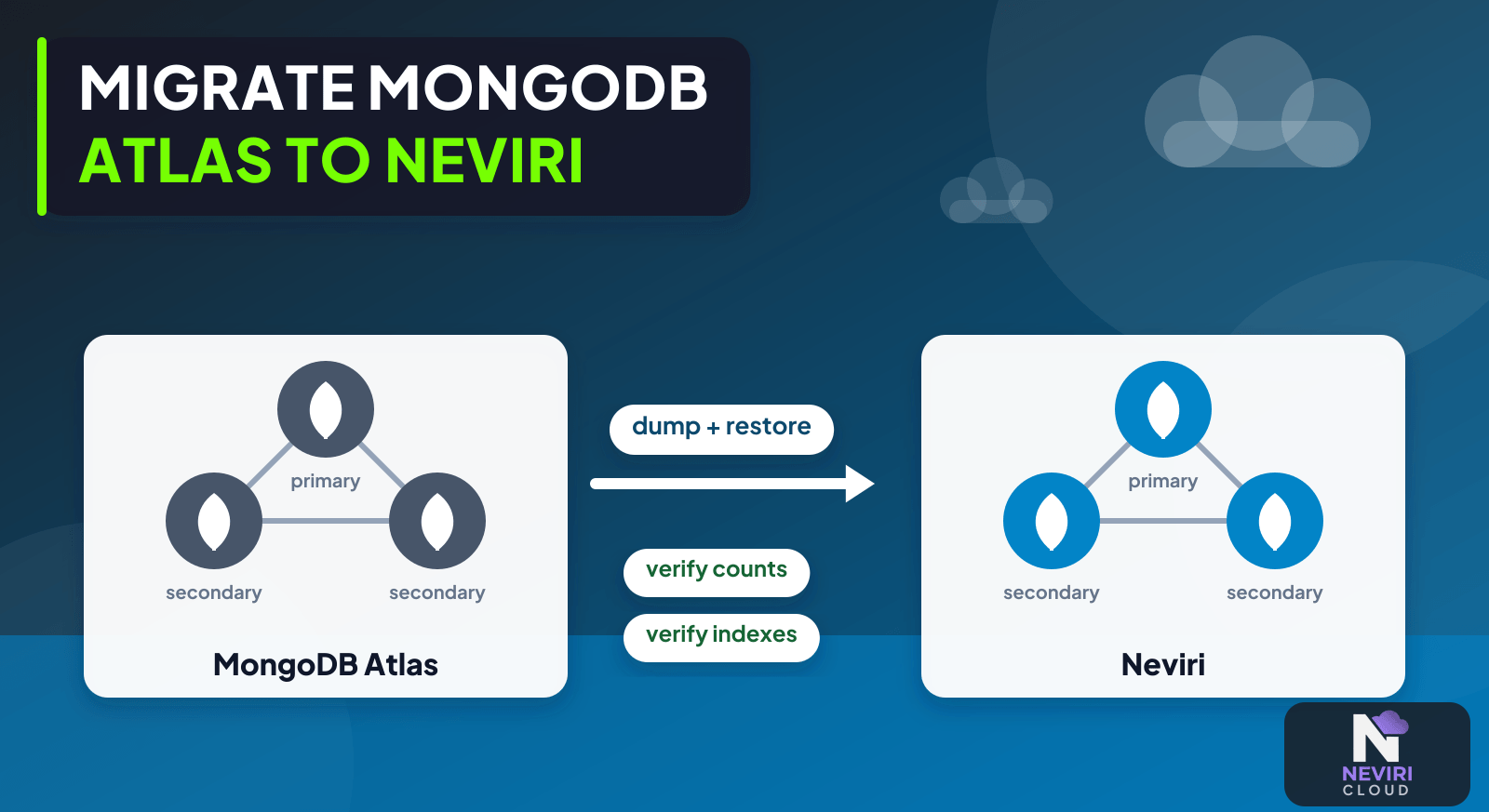
If you’re leaving Atlas, the export is only one part of the move. Your app still needs its data types, indexes, permissions, and latest writes to make sense at the other end. I’d settle those details in a rehearsal first; a successful connection to the new database doesn’t tell you whether the move is complete.
Check version compatibility and choose an export and restore method that fits your Atlas setup. Rehearse the move to a separate Neviri destination, including the point where writes stop. Then check data types, indexes, permissions, and real app behaviour; matching collection counts won’t tell you whether everything arrived correctly.
Rehearse the move with realistic data
- Inventory MongoDB versions, topology, data size, indexes, users, and Atlas-specific services your app calls.
- Select a documented migration path; confirm source and destination permissions and required connectivity.
- Rehearse export and restoration with protected credentials, then compare types, indexes, realistic records, and query results.
- Define the final write pause or synchronization boundary, switch application connections, and validate before retiring the source.
Choose how to move the data
| Approach | Choose it when | Verification or tradeoff |
|---|---|---|
| Offline dump and restore | An outage window is acceptable | Measure the entire copy and restore window. |
| Supported continuous synchronization | Downtime needs to be shorter | Verify topology, version, and cutover restrictions. |
| Application redesign first | The app depends on provider-specific services | Moving BSON alone will not replace those integrations. |
What should the MongoDB rehearsal compare?
Choose records whose types and relationships matter to your app. Counts alone can miss a changed date representation, a missing index, or a query that no longer supports the expected ordering. Use BSON-aware export and restore tools for a BSON migration instead of assuming a JSON round trip preserves every required value unchanged.
| Rehearsal check | Evidence to compare | Failure to investigate |
|---|---|---|
| Data types | Representative identifiers, dates, and nested values | Your app reads a different type or loses required precision |
| Indexes | Required definitions and realistic query plans | A restored query scans unexpectedly or cannot support its sort |
| Application identity | Reads and writes using the intended user | Administrator testing hid missing permissions |
| Freshness | A known final test change at the copy boundary | Destination data predates a write your app accepted |
| External dependencies | Calls to services outside the ordinary database endpoint | Your app relied on an Atlas feature the destination does not replace |
Keep the rehearsal export protected and give the target an unmistakably test identity. Do not distribute a production dump as a convenient developer fixture. Once the validation is complete, retain or remove the artifact according to the data-retention decision rather than leaving extra database copies scattered across workstations.
For the final transition, record which writer is authoritative. An application process retaining the old connection string can continue writing to the source after another process moved. Check web services, workers, schedules, and administrative integrations before declaring the cutover complete. MongoDB Database Tools documentation describes the tool's scope; it does not establish compatibility for every provider-specific service.
A read-only application smoke test can miss a migration problem that appears on the next write. Include an authorized write to clearly identified rehearsal data, then read it through the intended application path. Check generated identifiers, required validation, and indexes relevant to that operation before deciding the destination is usable.
Include any application-maintained migration marker in that rehearsal evidence.
The last writes need a plan of their own
Atlas-to-provider movement is not the same as using Atlas’s inbound live-migration wizard. Confirm the direction and support boundaries of the chosen tools. For a planned offline migration, stop writes for a consistent export window unless a separately supported snapshot or synchronization procedure has been proven for the source topology.
Questions you might have
Can mongodump migrate data from Atlas?
mongodump can be part of a migration when the source, permissions, and tool compatibility support it. Check MongoDB’s current tool documentation and the destination’s supported version. It is a data-export tool, not a guarantee of an online consistent migration or a replacement for Atlas-specific application services.
Does exporting data preserve all application dependencies?
A database export does not establish that every application dependency was transferred. Validate indexes, users, permissions, scheduled work, and external services separately. An application that relies on a provider-specific API may need a replacement integration even when ordinary MongoDB reads and writes succeed against the restored destination.
How do I avoid missing writes?
Define and test how writes during copying reach the final destination. A planned write pause is one option; a supported synchronization process is another. Do not assume a live dump captures an arbitrary changing workload consistently, and do not switch back after destination writes without a reconciliation plan.
Keep reading
Deploy a Next.js Application on Neviri; Database Cutover Rollback After New Writes: Preserve Accepted Changes; Database Backups Are Only Useful If You Can Restore Them.
Finish with an application you can trust
Give yourself a destination you can inspect before sending customer traffic there. Compare the data and important queries, check the final writes, and keep the old environment protected until the cutover decision is settled. The useful finish line is an application that behaves correctly against its new database.
Check the destination MongoDB connection and access settings in your account alongside the Neviri knowledge base. Keep those checks separate from the Atlas export and application compatibility review.
Sources and further reading
MongoDB documents mongodump as producing BSON export data and metadata used by mongorestore; consistent live backup requires its documented conditions. MongoDB documentation.
Migrating from serverless cluster to shared cluster - MongoDB Atlas - MongoDB Community Hub describes a related situation: MongoDB support discusses dump/restore for moving deployments and explicitly notes downtime; an Atlas-to-Neviri direction still needs compatibility validation.